Billing help · Step by step
How to cancel Candy Shorts / Candy AI Premium
Short answer · checked 1 Oct 2026
Settings → Unsubscribe; access lasts until your paid period ends
Log in on candy.ai, open Settings and choose Unsubscribe. That stops the renewal: Premium stays active until the end of the period you've paid for, with no further charge. You can't pause instead. Refunds are narrow (within 24 hours, 20 tokens or fewer used, card payments only), and EU/UK buyers also have a statutory withdrawal right.
- Settings → Unsubscribe
- Premium runs to period end
- No pause option
- Refund window: 24 hours
Good news first: canceling is a single setting, and you keep what you’ve already paid for. Candy Shorts has no subscription of its own; it runs on Candy.ai Premium, so how to cancel a Candy AI subscription and how to cancel Candy Shorts are the same question with the same answer. Below: the exact path, what happens to your access and tokens, the refund rules in plain English, and what to do if you joined through candyshorts.com instead.
How to cancel your Candy AI subscription, step by step
Candy’s terms (section 10.1) put the cancel option inside your account, under Settings → Unsubscribe. Here’s the full routine, including the two steps that protect you afterwards:
- 1
Log in on candy.ai
Use the browser on your phone or computer and sign in with the account that pays for Premium. There’s no store app to manage it from.
- 2
Open Settings
Go to the Settings of your Candy.ai account.
- 3
Choose Unsubscribe
Select Unsubscribe and confirm. That switches off the automatic renewal.
- 4
Keep a record
Take a screenshot once you’ve confirmed, with the date visible.
- 5
Check your next statement
Candy bills as EverAI. If an EverAI charge appears after your paid period has ended, contact the help center at everai.zendesk.com with your screenshot.
Two quick checks save headaches. If you have more than one Candy.ai login, cancel on the one that’s actually billed. And if you paid with Apple Pay or Google Pay, you still cancel on candy.ai: those are payment methods at Candy’s own checkout, not app-store subscriptions, because there is no official Candy app in either store.
What happens after you unsubscribe?
- Premium keeps running until the end of the paid period. Monthly, quarterly or yearly, you get the time you paid for, and you aren’t charged again.
- The monthly tokens stop. Premium is what adds 100 tokens a month, so no new allowance arrives once it ends.
- Finish what you’ve started. Paid episodes need Premium, so don’t count on watching locked episodes after it lapses.
- The free route stays open. Episode 1 of every public series still plays without an account and episode 2 with a free one (how the free route works). Chat falls back to the free tier: 5 messages in total, not per day.
- Your account stays. Unsubscribing ends the plan, not the account. Deleting it is a separate request, covered in the FAQ below.
An example: on the 1-month plan, unsubscribe ten days in and you keep Premium for the rest of that month, then nothing renews. On the yearly plan, unsubscribing in month three ends the renewal, not the year you’ve paid for, and once the 24-hour window has passed, Candy’s refund policy doesn’t cover the unused months.
Keep watching the free episodesAffiliate link · opens Candy.ai · 18+
Do you keep your tokens after canceling?
This is the one point where Candy contradicts itself. Its terms of service say leftover tokens expire; one of its help-center articles says you keep them. Until that’s settled, check the current terms before relying on either version.
The practical answer is the same both ways: spend them before your paid period ends. Even if your balance survives, locked Shorts episodes need Premium, so tokens sitting in a lapsed account can’t unlock them. A balance of 36 is exactly one standard series (three locked episodes at 12 tokens each). With 30 or more, you could open one more episode of a Candy Creators series at 30. Our series catalogue shows the tokens to finish on every card, so you can pick a story that fits what’s left.
Can you get a refund from Candy AI?
Sometimes, but the window is narrow. Section 10.4 of Candy’s terms and its help center set these rules:
- Subscriptions: refundable within 24 hours of payment, only if you’ve used 20 tokens or fewer, and only for card payments.
- Token packages: refundable within 24 hours if unused.
- EU and UK buyers: a statutory right to withdraw from the initial purchase, on top of Candy’s own policy.
Watch the 20-token line. One standard episode costs 12 tokens, so you can unlock one and still qualify; unlock a second and you’re at 24, over the limit. A single Candy Creators episode at 30 tokens takes you past it on its own. If you paid by crypto or bank transfer, Candy’s refund policy doesn’t apply, because it covers card payments only, though EU and UK statutory rights still do. Ask through the help center, and move fast: the 24 hours run from the payment, not from when you notice it.
Can you pause Candy AI Premium?
No. There’s no pause option, so the choice is to keep paying or to unsubscribe and come back later. If a yearly plan is about to renew and you know you’ll keep watching, letting it renew at $47.88 is cheaper than coming back on the 1-month plan at $13.99 for four months or more. If you’re on the fence about the service itself, our Candy Shorts review weighs what Premium is worth, and what Candy Shorts really costs compares the plans.
Canceling a candyshorts.com membership
candyshorts.com is EverAI’s standalone Candy Shorts site, and it sells its own Annual, Quarterly and Monthly Membership at the same prices as Candy.ai Premium. If that’s where you paid, cancel there, from your account on that site; we haven’t walked through its menus step by step, so we won’t invent them. We also can’t confirm that a candyshorts.com membership and a Candy.ai account share one login, so if you’ve paid on both sites, cancel on both. Both sites belong to EverAI, and its help center at everai.zendesk.com is the fallback if you can’t find the option. How the two differ is explained in Candy Shorts vs Candy AI.
Charged after canceling? What to check
- The name: Candy bills as EverAI, so look for that name first.
- The date: a charge from before the moment you unsubscribed is a normal renewal, not a post-cancel charge.
- The account: a second Candy.ai login or a candyshorts.com membership can bill on its own.
- The fix: send your Unsubscribe screenshot to the help center at everai.zendesk.com. If that goes nowhere, your bank or card issuer can explain your options.
Before you cancel: three quick checks
- Timing: within 24 hours of a card payment, with 20 tokens or fewer used, you may still get your money back.
- Tokens: spend them on the series you’re in. They may not survive, and they can’t unlock Shorts without Premium.
- Where you paid: cancel on candy.ai, on candyshorts.com or on both, depending on where the charge came from. Not sure a charge is genuine? Our billing and safety guide explains what an EverAI charge looks like.
Series to start with
Our top-rated picks, each with free episodes.
 2/5 Read review
Sworn to the Queen
★★★★★★★★★★8.7 New 3/5 Read review
I Can See Through Everyone But Her
★★★★★★★★★★8.5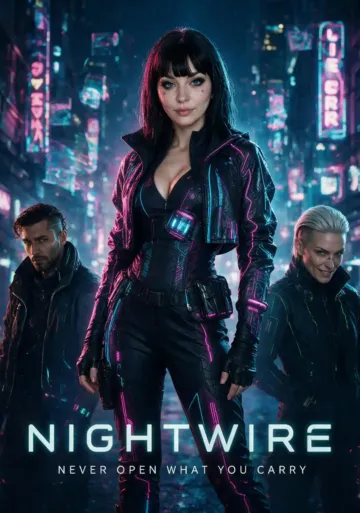 2/5 Read review
NightWire
★★★★★★★★★★8.5 New 4/5 Read review
The Gods Gave Me My Father’s Wife
★★★★★★★★★★8.4 2/5 Read review
My Father’s New Queen
★★★★★★★★★★8.4 3/5 Read review
Step-Sister’s Secret
★★★★★★★★★★8.4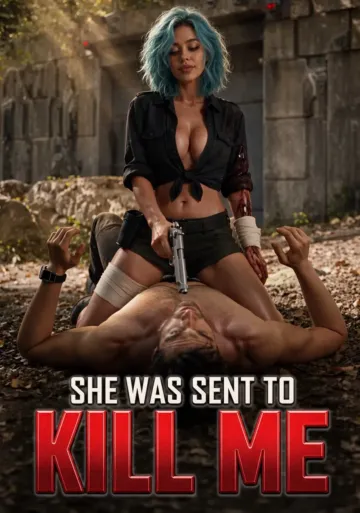 New 2/5 Read review
She Was Sent to Kill Me
★★★★★★★★★★8.3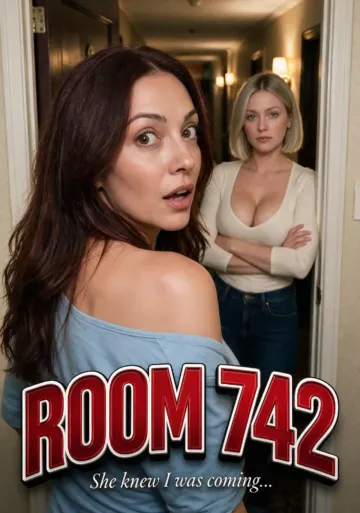 3/5 Read review
Room 742
★★★★★★★★★★8.3 2/5 Read review
Your Wish is my Command
★★★★★★★★★★8.2 4/5 Read review
Midnight Compartment
★★★★★★★★★★8.2Frequently asked questions
Is Candy AI easy to cancel?
Yes, as subscriptions go: it's one option, Settings → Unsubscribe, inside your Candy.ai account, and you can cancel at any time. The tricky part is timing, because Candy's own refund window closes 24 hours after a card payment.
Will I be charged again after I unsubscribe?
No. Premium stays active until the end of the period you've already paid for, with no further charge. Check your statement for EverAI, the name Candy bills under, after the renewal date to be sure.
Can I cancel Candy AI through the App Store or Google Play?
No, because there's no official Candy.ai or Candy Shorts app in either store, so there's no store subscription to cancel. Your plan lives in your Candy.ai account even if you paid with Apple Pay or Google Pay. A 'Candy' subscription in your phone's store settings belongs to a third-party app.
Do I keep my tokens if I cancel Candy AI?
Candy's own documents disagree: the terms say leftover tokens expire, while a help article says you keep them. Check the current terms, and spend what's left before your paid period ends. Locked Shorts episodes need Premium anyway.
Can I get a refund on Candy AI Premium?
Within 24 hours of a card payment, if you've used 20 tokens or fewer. That's one standard episode at most, since a second one brings you to 24. Unused token packs are refundable within 24 hours, and EU and UK buyers also have a statutory right to withdraw from the first purchase.
How do I delete my Candy AI account?
Unsubscribe first so nothing renews, then ask for deletion through Candy's help center at everai.zendesk.com. We haven't verified a self-serve delete button, so we won't describe one. EverAI is based in Malta, so EU data-protection rules apply to your request.
Can I pause Candy AI Premium instead of canceling?
No, pausing isn't possible. The nearest thing is to unsubscribe, let the paid period run out and subscribe again later. The free episodes and the free tier stay available in between.
Canceled? The free episodes stay free
Unsubscribing ends Premium, not the free route: episode 1 of every public series still plays without an account, and episode 2 with a free one. Come back whenever a new series catches your eye.
- Free episodes on almost every series
- New series added most weeks
- Works in the browser on phone and desktop